
One can write an html script that reads from and writes to wiki's lineup. Useful scripts typically run from 50 to 100 lines. Here I recount one such development with special attention to distinct roles and the affordances available.
With an eye toward discovering mechanisms that might smooth the path toward better automation I will address a number of questions.
- How do I understand my problem from doing the work in wiki unscripted? - How have I made a place where I might add a button or some other new element? - How did I assemble and check the information from wiki that would be input to my button? - What was the purpose of each step of the program I then wrote? How did I check that? - How has what I know about my inputs allowed me to write a simpler program? - What did I show on the page or add to the lineup as output? Did that encourage subsequent automation? - How did the practice of writing the script improve my confidence exercising my will in this environment?
I choose Triptych for this initial experiment because my year devoted to daily photography was already an exploration of possibilities.
# Doing
The idea that some of my pictures look best next to each other was something that I was exploring. I would watch random photos show up in the Photo Rotator and when I saw one I liked I would click to see what was next to it. This turned out to be great fun.
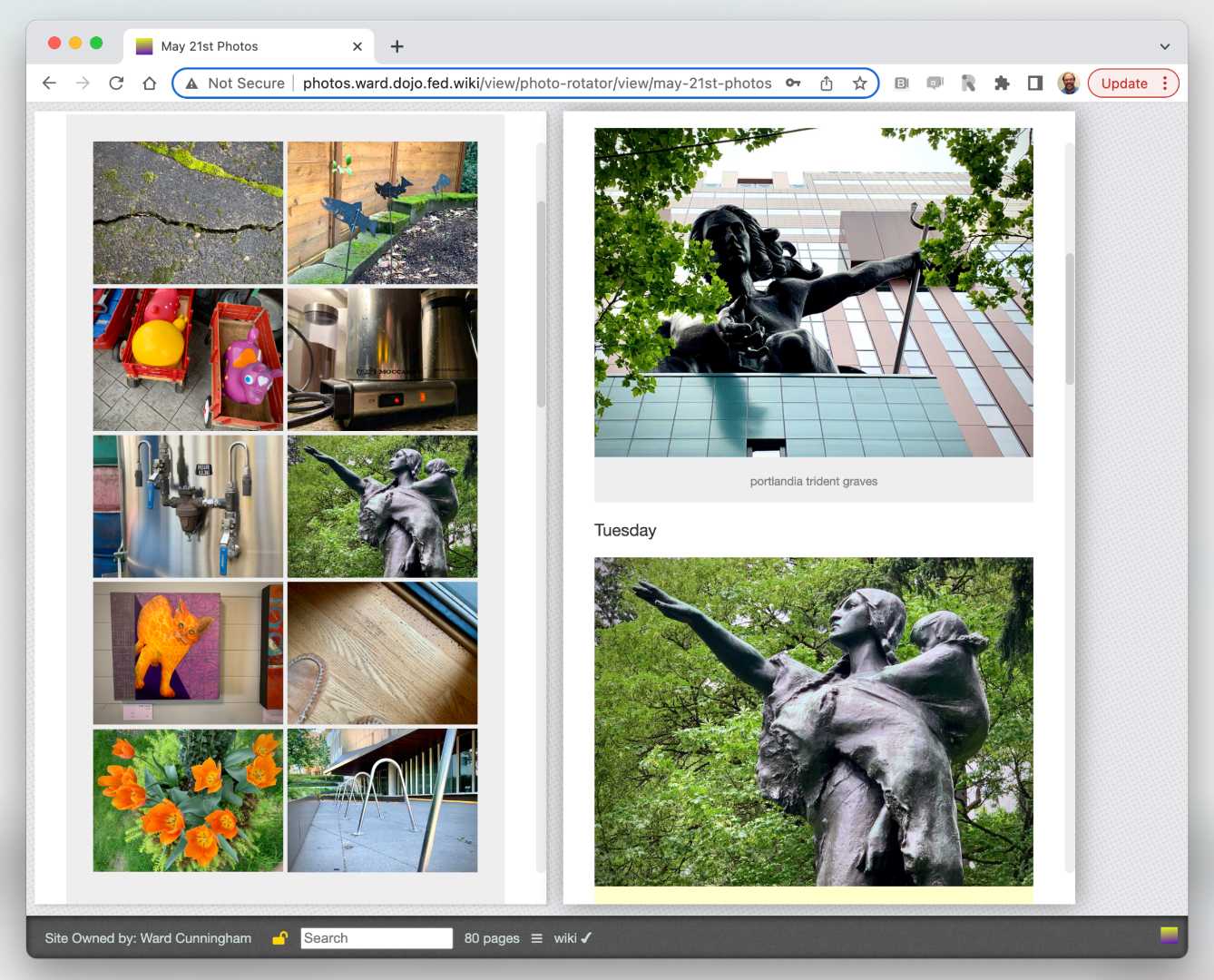
Choose one rotating photo to see all photos from the week.
I found that if I reduced the image size substantially I could see all of a week's photos at once. This also made room in the lineup to compare one week's progression with other weeks. A web search informed me that "art intended side by side" was called a "triptych". I looked for and found many triple weeks that looked good together. I thought I should save this discovery.
It occurred to me that if I did the scaling in html rather than scaling the browser window I could further lineup all of my triptychs together. I called these "miniatures" as I explained my intention.
# Coding
I will describe the steps I followed as I scripted the construction of miniatures. I will discuss the checks I used to be sure my work was progressing.
1. I had already added some viewing notes to my Triptych Discovered page. I wrote one line of html, a button with a label, push that into an asset and added this non-yet-functioning button to the page. Hello world.
2. I retrieved the page json that enclosed my new button then filtered its story items to those that ended with the links I had already made as external links.
blah blah blah [http... lineup]
I split out the three page slugs from each of the four long urls and saved this as an array of object containing text and slugs. I used console.log to the browser's debugger to check that this was producing expected result.
3. Each slug identified a page I knew to have seven photos, one for each day of the week. I could have fetched and parsed each page but I knew this was already done as a Survey used by other aggregations.
For each page the survey lists the title, slug, and an array of image details including a url to the jpg file. I filtered this to include only weekly photo pages then console.log'd to check for expected results.
survey.filter(info => info.slug.endsWith("-photos")
With #2 and #3 in hand I thought I was ready to mashup miniatures in three columns of seven images each. I was concerned that I had columns rather than rows so this wasn't a good fit with the html Table element.
4. I had a call coming up in 30 minutes with Paul Rodwell who was always full of good ideas. I chose to use that time making the button work so that I could show Paul what I was intending even without the miniature pictures.
For each lineup I extracted the three dates corresponding to the week the photos were taken. I checked my console.log'd data to see if for these cases I could name new pages with just the month names. I grabbed the "blah blah blah" text for a page synopsis and made the pages that I would fill in later.
5. Paul was intrigued and join the project immediately. He found the documentation on CSS Grid layout which was one of the alternatives to Table that he thought would be better. The Mozilla docs offered an example which we copied. mdn 
.wrapper { display: grid; grid-template-rows: repeat(3, 200px); gap: 10px; grid-auto-flow: column; grid-auto-columns: 300px 100px; }
Mozilla is careful to separate visual design from algorithm design as one would expect of professionals. I dispensed with this formality and inserted the CSS rules directly in the one element that would use them saving a few lines.
We adjusted the CSS rules to expect seven elements in every column. This was true in all but one case, this week's page which wasn't done yet. Here I was fortunate to have already decided that columns should be presented chronologically so the missing pictures were in the last column which Grid layout handled gracefully.
6. I enjoyed looking at all of the miniatures and felt I had new insight I could apply to my photography for the rest of the year. I'm only half done with the challenge.
I enjoyed looking at the script which I posted on GitHub. I took out the one most verbose console.log but left the other two in should I return wanting modifications. I also had written the loop over columns as a "for loop" with a "col" counter which I though I would need. No need actually so I changed that to "forEach".
I also changed the html so it would say "waiting" until all of the data had been mashed up and was ready to preview. This would keep me from poking the button too soon. Instead I was reminded each time I visit the page that my script is working hard on my behalf.
# More
I feel some need to examine the program again to see how closely it meets this description. I also wonder if the description I have provided is still pitched toward the javascript developer, not the wiki author.
Crazy idea: what if a collection of small scripts were shared as javascript but with the words in the script that were from the domain colored green and the javascript vocabulary that is just required but not all that interesting were to be colored blue?
More crazy: In Triptych Reconstructed we try calling out idioms parameterized with wild cards in snippets of description. We imagine something between a library and a compiler. See Scripter Status Report